What is a Credit Note?
A credit note is a formal commercial document issued by a Seller to a Buyer to amend a previously issued invoice or to provide reimbursement. The monetary value of a credit note is typically equal to or less than that of the original invoice and may be applied either as a direct repayment to the Buyer or as an offset against other outstanding obligations.
How to create a Credit Note?
Creating a Credit Note from a Sent Invoice
Follow these steps to create a credit note
- If the Document Manager app is not visible in the sidebar, open All Apps and search for 'Document Manager' to access it.
- Use the search bar to find the invoice you wish to credit.
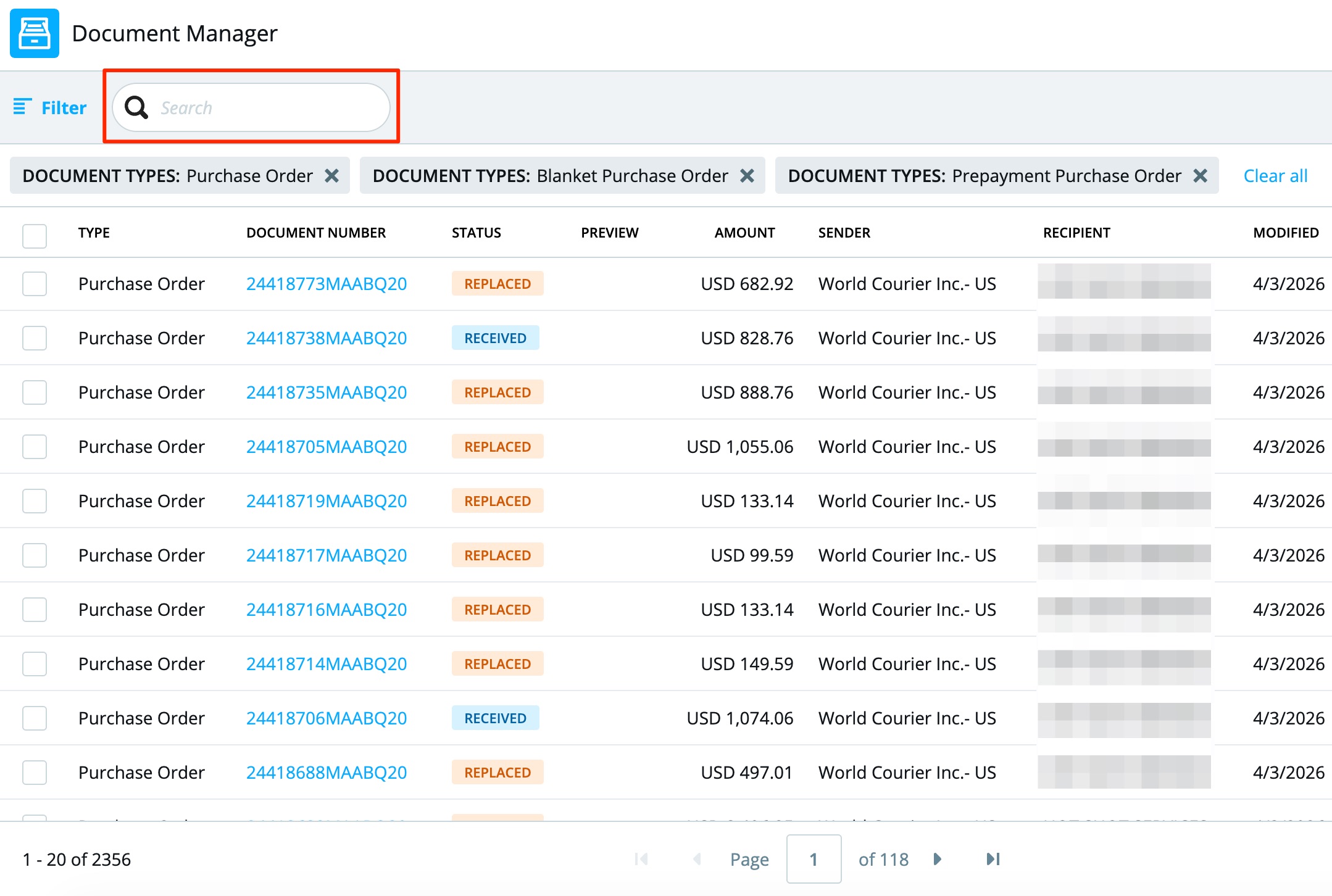
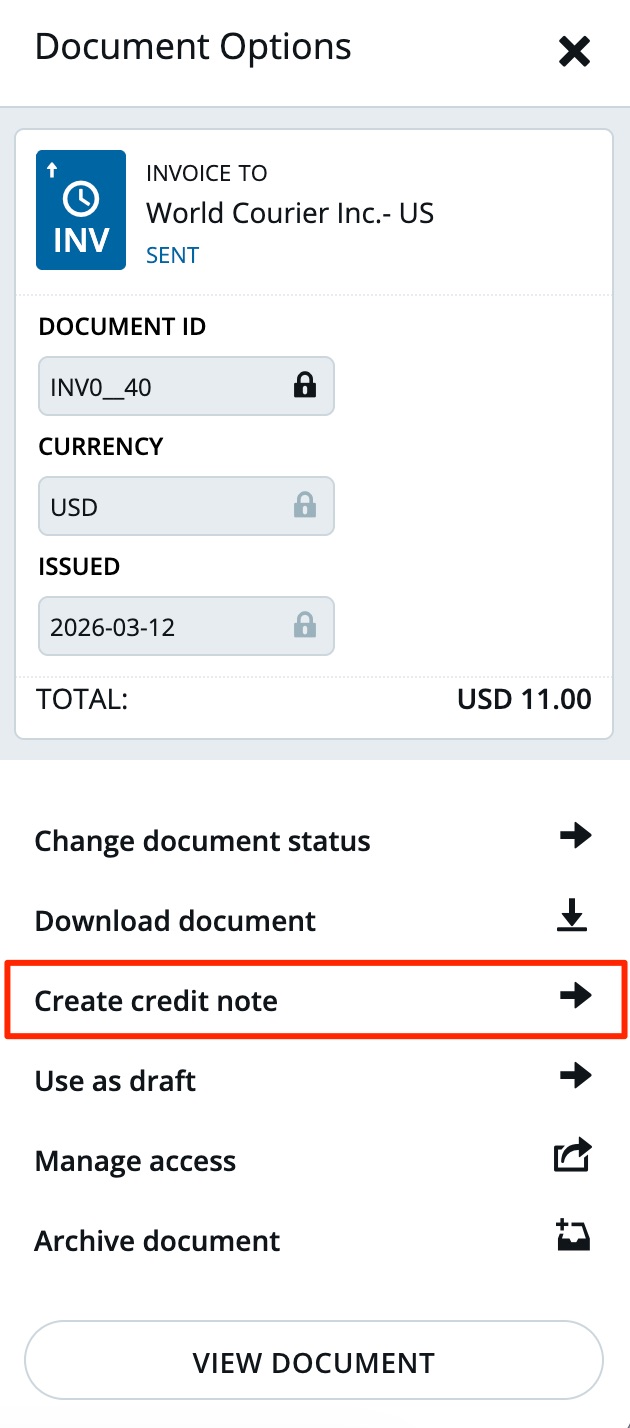
- Click the three dots beside the invoice to open the side menu.

- Select ‘Create credit note’. The credit note form will auto-fill with invoice details.
- Ensure the Invoice Number field correctly references the original invoice.
- For partial credit, delete or amend any line items not relevant. Click ‘Send’ in the bottom right corner to submit the credit note.
Creating a Credit Note Separately
- To issue a credit note not directly tied to a specific invoice:
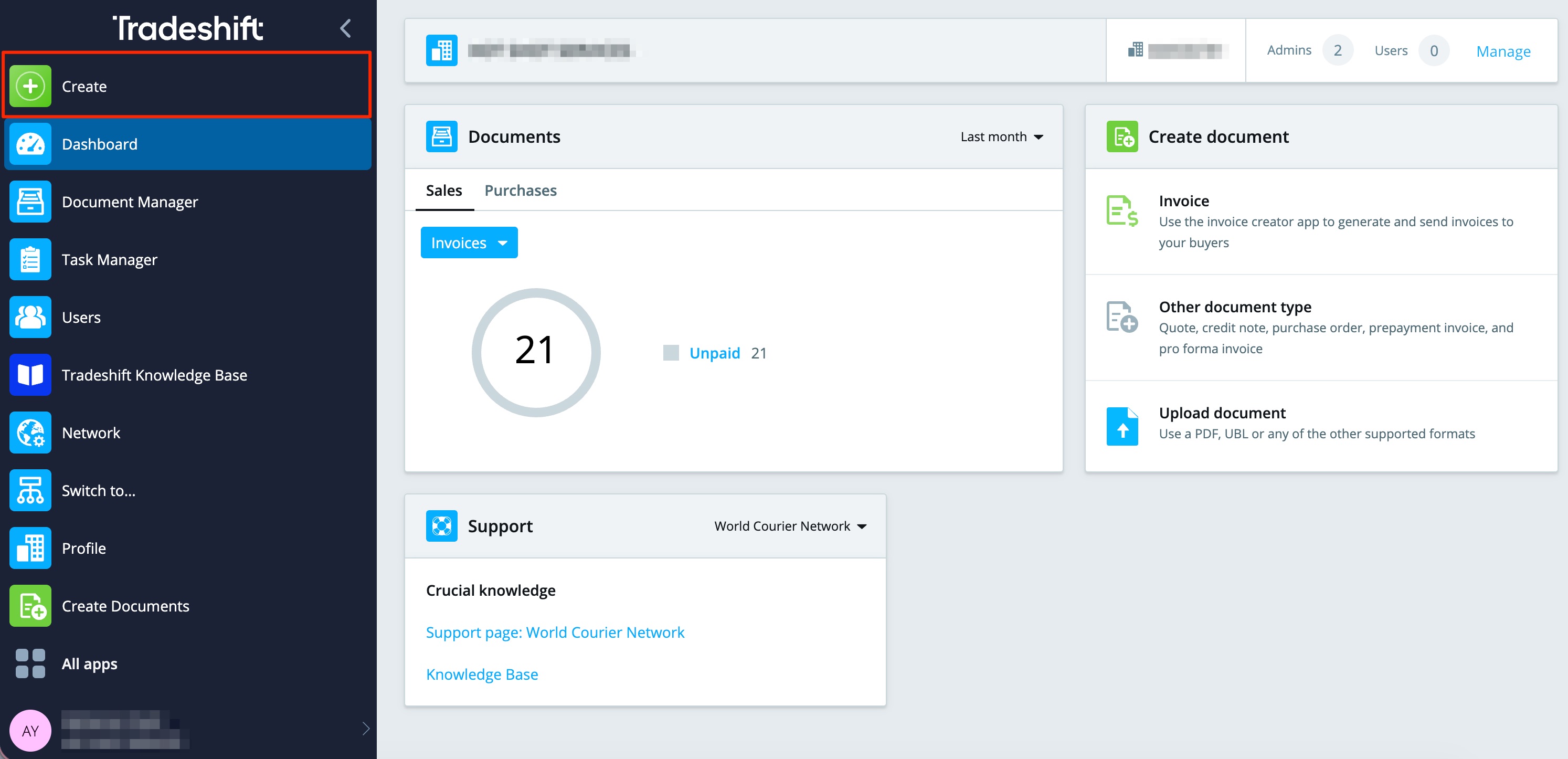
- Click on the ‘Create’ app from the sidebar.
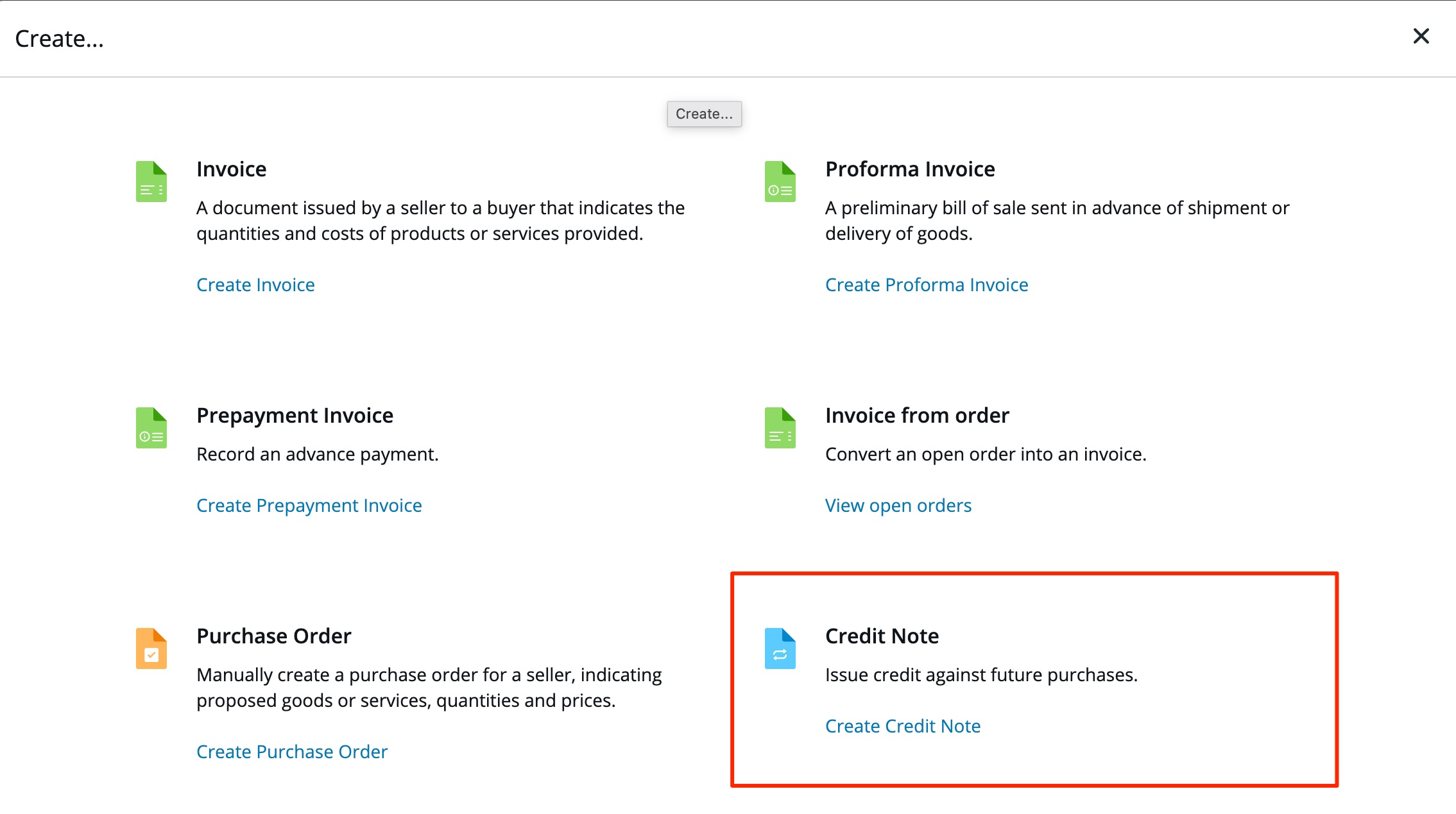
- Select create ‘Credit Note’.
- Fill in the following details:
- Recipient (search by company name or email; add manually if not found).
- Credit Note Number
- Issue Date
- Currency
- Invoice Number (must reference the original invoice)
- (Optional) Add any additional fields if needed.
- Complete the credit note line items:
- Item ID
- Description
- Quantity
- Unit
- Price per unit
- Tax
- Click Discard to cancel the document.
- Click Save as draft to finish later.
- Click Preview to review before sending.
- Click Send to submit the credit note.
Note: Always reference the original invoice and/or Purchase Order number accurately.